
Whether you are a law firm selling your documents online or just want to provide a simple and secure way to accept payments online, you need an easy way for your customers to pay you.
That's why we now offer a simple integration between your SYNTAQ forms and Stripe.
To accept payments through Stripe follow these simple steps.
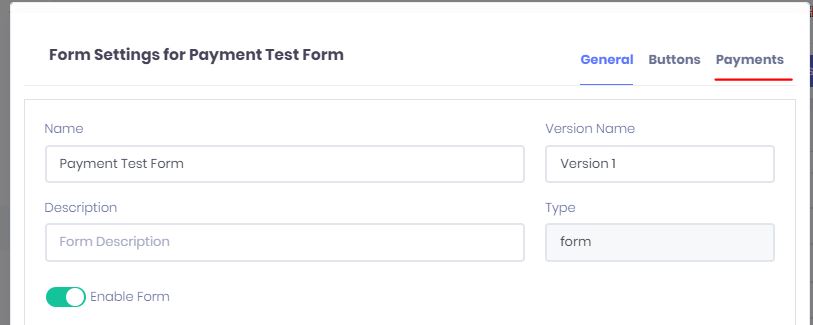
- When building a form you want to accept a payment on, select Form Settings from the Settings menu.
- Once in the Form Settings, click on the "Payments" tab.
- Enable Payments for this Form, set the Amount you want to charge your client, the Currency you want to make the charge in and finally set the payment Process event.
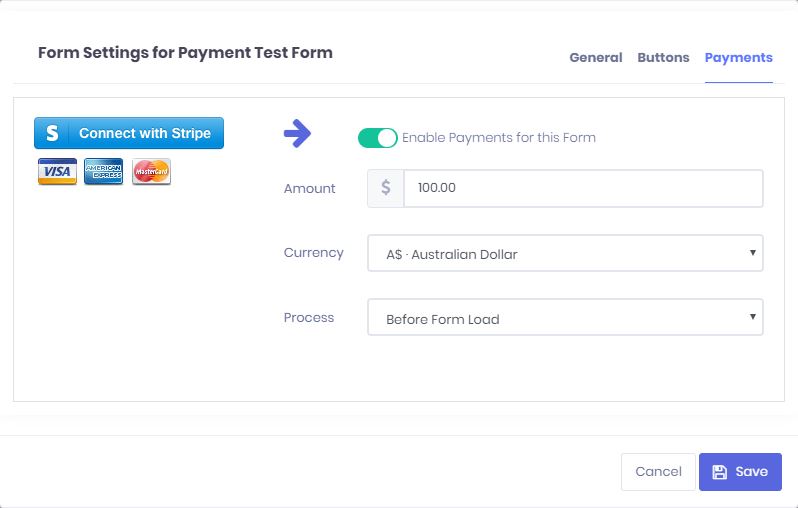
The Process dropdown sets when you would like to present the user with the Payments form.
- Before Form Load: This setting loads a Payments page at the start of the form, preventing the user from providing any information until a payment has been made and processed successfully.
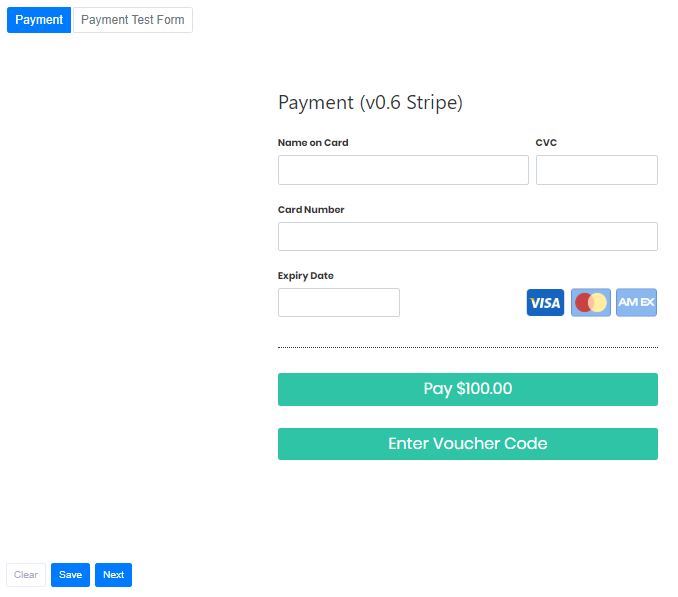
- Before Assembly: This setting loads a fully Payments page at the end of the form, this allows the user to provide all the necessary data before providing a payment.
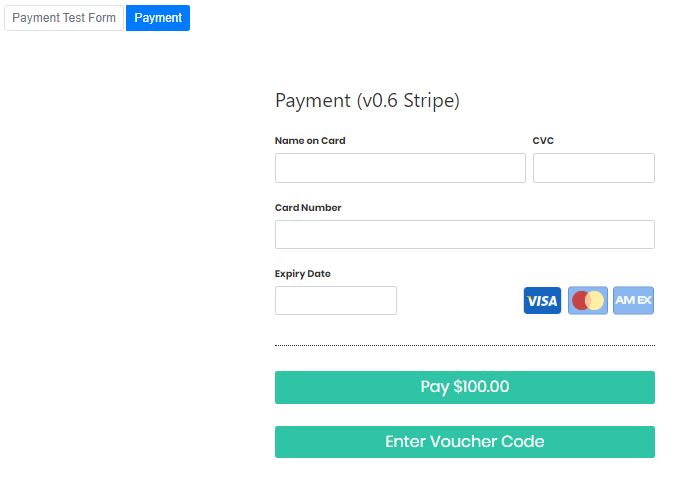
- Before Form Load: This setting loads a Payments page at the start of the form, preventing the user from providing any information until a payment has been made and processed successfully.
- Finally all you need to do is click on "Connect with Stripe" so that we can ensure all payments are processed and paid to your stripe account and associated bank.
Comments
0 comments
Article is closed for comments.