
So you've built your forms and embedded them in your webpage for internal users and you want to allow those users to access their assembled documents. The way to do this is to also embed your records in the site.
First of all you will need edit access to your website and records permissions in Syntaq. At the top of the Records page you should see an Embed Records button between the New Folder and Refresh options.
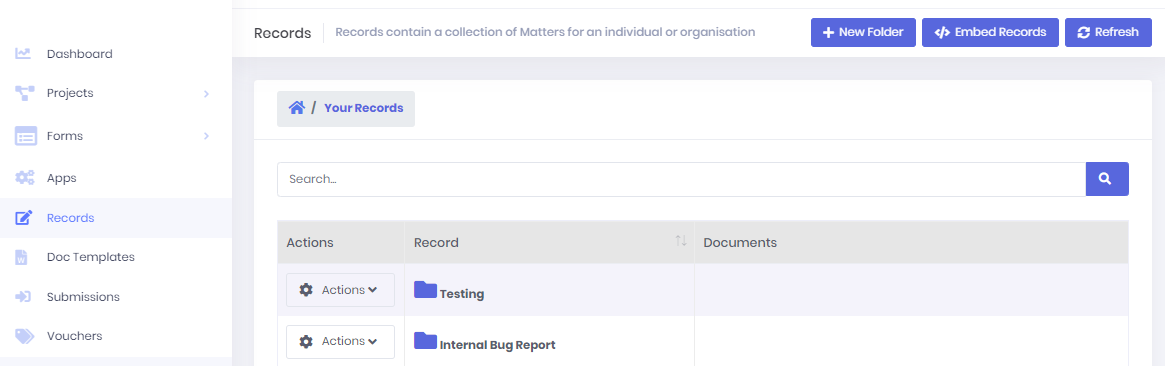
Click Embed Records to open the embed menu. This will walk you through the steps of creating a custom embed script for your records.
Authentication
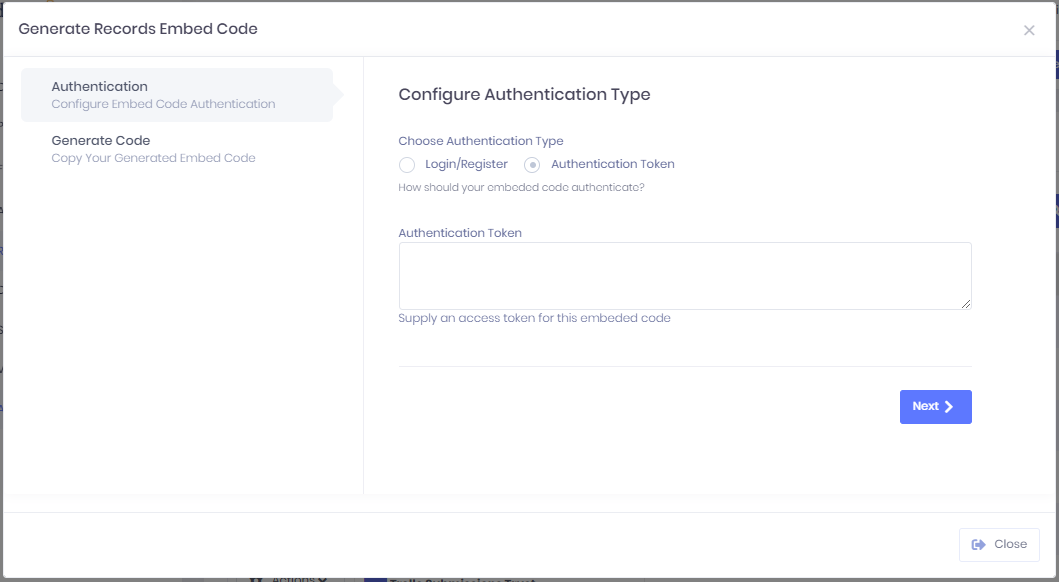
The first step is to set the type of Authentication. For records, the access must be authenticated by either Log In or an Authentication token. Login/Register will add a login page that will appear before the user can access the records. This will only show the user their own records. By selecting Authentication Token you can pass a token through so that anyone who has access to the web page acts as if they are logged in as a specific user of Syntaq. You will need to get this token via our API.
Generate Embed Code

Now all you need to do is go down to the Generate Code section and copy across the displayed code into your web page.
The suggested method is to paste the <table> element where you want the form to appear, and paste the <script> elements into the header.
You will have to be careful how you implement the <link> element as our css has been known to cause conflicts with some sites.
Congratulations, you have successfully embedded your records page!
Comments
0 comments
Article is closed for comments.